
Settings
Understanding and Switching Profiles
How to create several profiles and switch between them, for example for private use, your company or together with your partner. Multiple profiles are available with the VIP subscription.
Golden Ratio Academy
In this video I show you what profiles are and how to switch between them. A profile is a separate area with its own accounts and bookings.
How to follow this video
- You see at the top which profile is active right now. In the video it is the primary profile with the private bookings.
- At the top right, tap the circle with your initial. At the very top it says which profile is active right now.
- Below it is “Switch profile”. Tap another profile, in the video “Firma” (company).
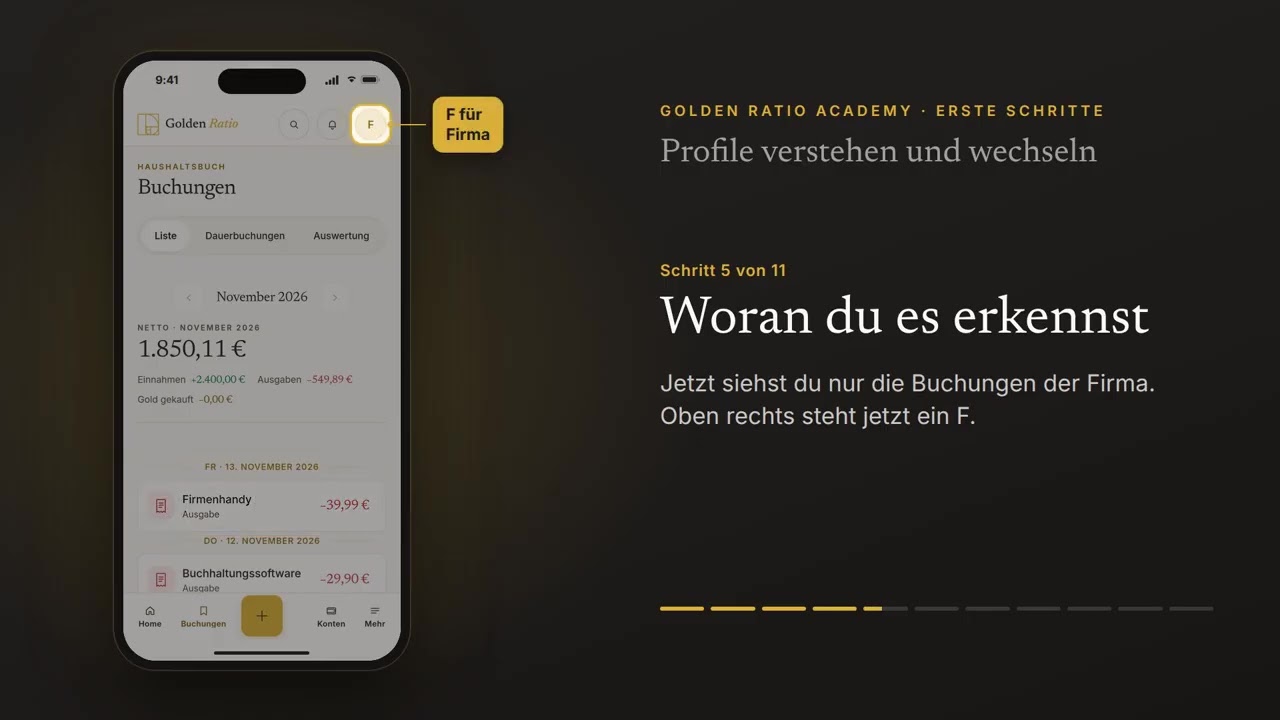
- Now you only see the company’s bookings. The private ones are not gone, they are in the primary profile. The top right now shows an F, so you always know where you are.
- For a new profile, tap the circle and then “Manage profiles”. There you see all your profiles.
- Tap “Add new profile” and enter a name, in the video “Shared” for the expenses with your partner. Tap “Next”.
- Choose a symbol and a colour so you can tell the profiles apart easily, and tap “Create”.
- The new profile is active straight away. It starts empty, with its own accounts.
- You switch back with one tap: tap the circle and choose the primary profile.
What to watch out for
- Multiple profiles are only available with the VIP subscription. You can have up to five profiles.
Directly in the browser (web app)
→ app.golden-ratio-united.com