
Tools
Customer Funnel (VIP)
How to create a funnel link, share it and see in the app who has signed up for your Zoom webinar. The app sends the reminder emails automatically.
Golden Ratio Academy
In this video I show you the customer funnel. With it you collect prospects for your Zoom webinar.
How to follow this video
- At the top you see how many people visited your links and how many signed up.
- Tap “New link” and enter a label. Only you see it, so you can tell your links apart.
- Choose the destination. In the video it is the Zoom webinar.
- Enter your sign-up link. Your prospects get it later in the emails.
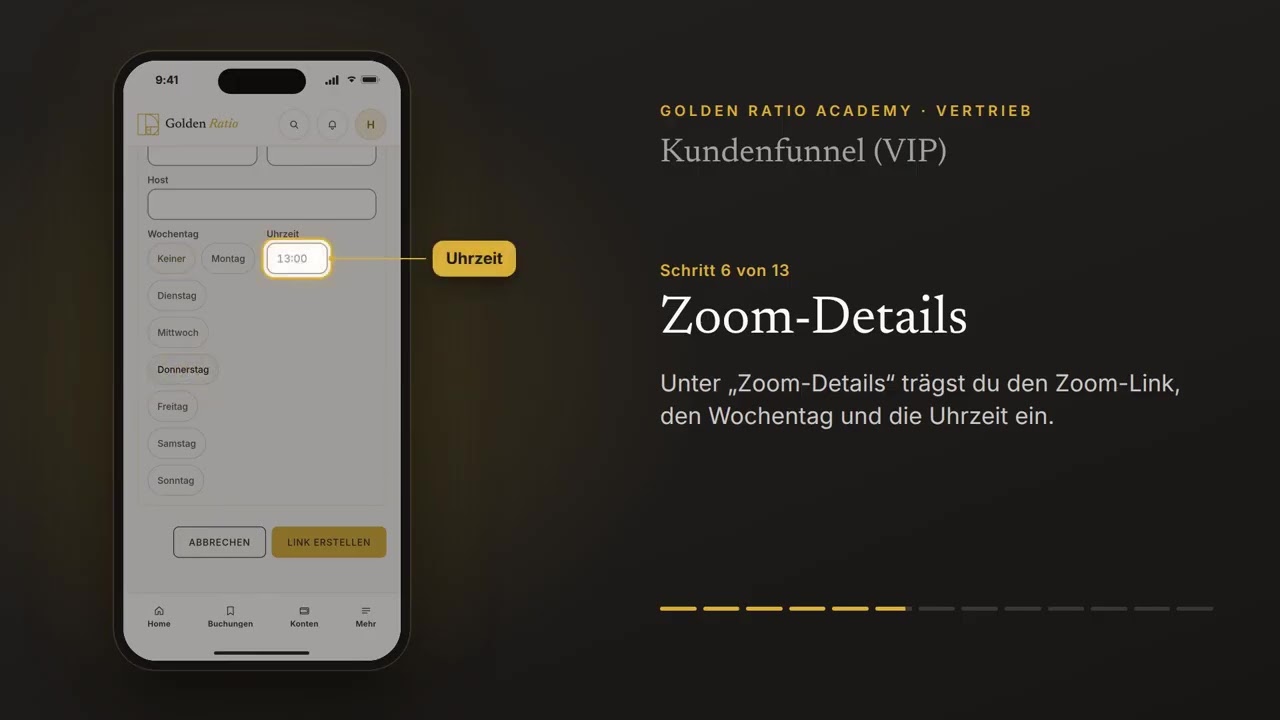
- Under “Zoom details” you enter your Zoom link, the day of the week and the time, in the video Thursdays at 7 pm.
- Tap “Create link”.
- Every link has its own address. Copy it or share it directly, for example via WhatsApp.
- Your prospect opens the link and sees the next date right away. They enter their first name and email, agree to the privacy policy and tap the button to sign up.
- In the app, the new sign-up then appears under “Prospects”.
- Under “Analytics” you see for the last 30 days how many people visited your links and how many signed up, also for each link separately.
What to watch out for
- The customer funnel is only available with the VIP subscription.
- If the link leads to your own website, the app only counts the visits. There is no sign-up there.
- You don’t have to take care of the emails: your prospect gets a confirmation with the Zoom details right away. Two days before and on the day of the webinar the app reminds them automatically, and the day after there is one more message.
Directly in the browser (web app)
→ app.golden-ratio-united.com