
Evaluations
Gold Results Purchases
Manage active and completed gold purchases, sorting, contract details, and payouts.
Golden Ratio Academy
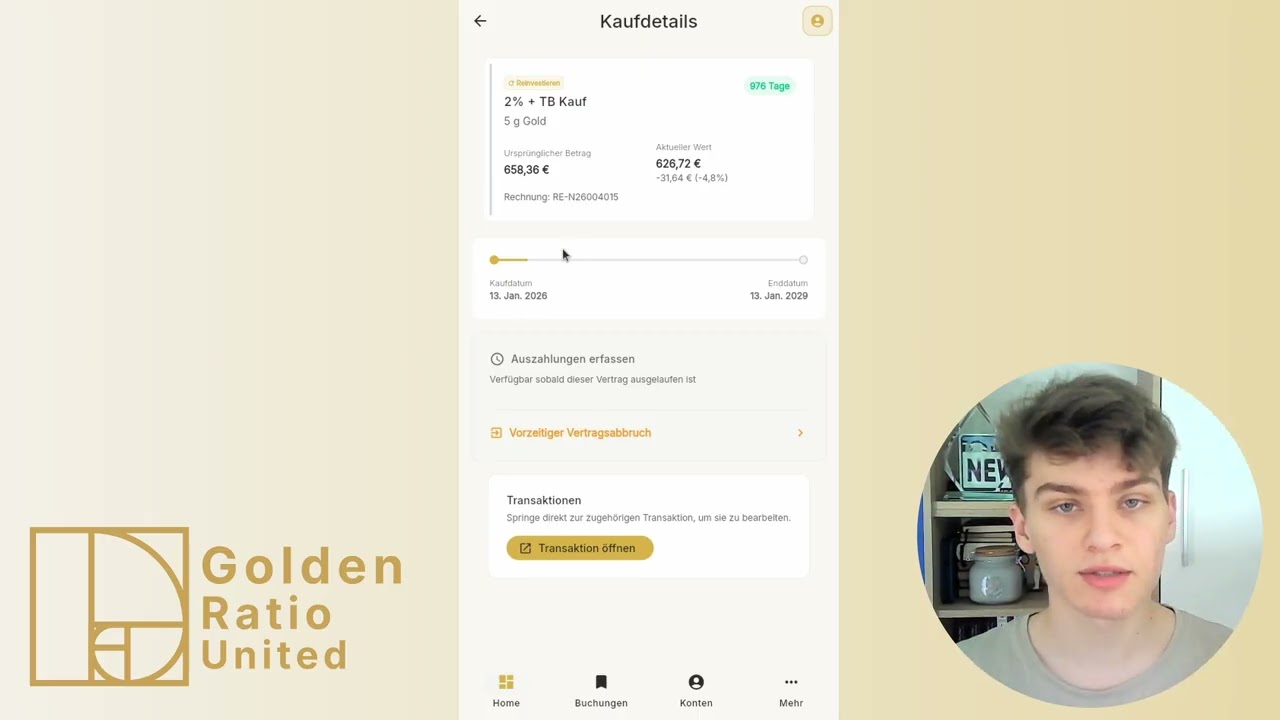
This video explains the Purchases tab in Gold Results, including sorting, contract details, completed purchases, payouts, and early termination.
How to follow this video
- Open Gold Results and switch from overview to Purchases.
- Sort active purchases by end date or purchase date and search by invoice number.
- Open an active purchase to review model, weight, price, current value, progress, and duration.
- Switch to completed purchases to see ended contracts and payout status.
- Record whether gold was delivered or bought back.
- Use early termination if a contract ended before maturity.
Alternative paths
- Active and completed purchases share the same search and sorting tools.
- For completed contracts you can distinguish delivery and buyback.
What to watch out for
- Profit or loss can appear because purchase price and buyback value differ.
- Loyalty bonus values may be prefilled from known contract data.
- Check payout details carefully so future results stay correct.
Directly in the browser (web app)
→ app.golden-ratio-united.com